AI Code Review
Code Review Best Practices for Developers in 2026

Sonali Sood

Founding GTM, CodeAnt AI
Code review is one practice inside a larger quality system that also includes tests, linters, static analysis, and CI gates. A lot of that system now runs automatically, and you do not need to think about most of it on any given pull request. The human review is the part you still own, and it is where a tired reviewer or a sloppy author costs the most time. This guide covers the practices that make reviews fast and useful, a checklist you can paste into your repo, and the places where automation should carry the load so people do not have to.
In a 2024 Sonar developer survey, developers reported spending about 30% of their time on code maintenance, with more going to testing and fixing issues, so the time left for writing new code is smaller than it feels. A slow or noisy review process taxes that time every day.
What CodeAnt solves here: CodeAnt AI runs an automated pass on every pull request before a human opens it. It summarizes the change, flags logic and security issues with full-codebase context, and suggests one-click fixes, so reviewers spend their attention on design and intent instead of style nits and missed validations.
What you’ll learn
How to get a pull request review-ready so you do not waste a reviewer’s first pass.
A repeatable order for reviewing a change: context, readability, correctness, security, feedback, decision.
How to write review comments that get acted on instead of argued over.
Where automation belongs and where human judgment is still required.
The edge cases that need more than the default flow: large changes, AI-generated code, external contributors, and hotfixes.
The metrics that tell you whether your review process is healthy.
How do you run an effective code review?
A good review confirms the change is correct, maintainable, secure, and solves the right problem. Work through it in a consistent order so nothing important gets skipped when you are busy.
Get the pull request review-ready first
This step belongs to the author. A review-ready PR gets approved faster because the reviewer can spend their time on judgment rather than cleanup. Before you request a review:
Run the app and the full test suite. Confirm unit, integration, and end-to-end tests pass and the logs are clean.
Keep the change small and focused. One concern per PR, and a common team rule of thumb is to stay under a few hundred changed lines. The 2024 DORA State of DevOps Report found that smaller changes move through delivery faster and more reliably, and that AI assistance tends to push change size up, which raises risk.
Separate refactors from features. Mixed PRs are hard to reason about and hard to revert.
Write a description that answers what the change does, why it is needed, and how it works. Link the ticket.
Remove debug logs, dead code, unused imports, and commented-out blocks.
Self-review the diff first. The author knows the intent and can catch the gap between intent and implementation faster than any reviewer. A quick AI-supported self-review before peer review clears the obvious problems before you spend a teammate’s time.
A useful habit here is to run an automated pass before any human looks. Running CodeAnt AI on the PR catches the mechanical issues and gives the reviewer a clean starting point. This is also how AI reduces review overhead: the trivial comments are gone before a person opens the diff.
Understand the context before reading code
Read the PR description, the linked ticket, and any design discussion before the diff. Ask whether this is the right solution to the stated problem. Reviewing line by line without the goal in mind is how reviewers approve code that works but solves the wrong thing.
Review for readability and maintainability
You read code far more often than you write it, so optimize for the next person. Look for unnecessary complexity that could be written more simply, names that do not say what they hold or do, and duplication that an existing function already covers. When something confuses you, that confusion is data. Leave a comment asking about it.
Check correctness, security, and performance
This is the core of the review. Confirm the logic is right, including edge cases and error paths. Check that user input is validated and that the change does not open the door to SQL injection, XSS, or similar. A shared secure coding checklist and the OWASP code review guide give reviewers a concrete list to check against.
Watch for performance traps such as queries inside loops, N+1 access patterns, or work that will not scale as data grows. Reserve deep attention for high-risk areas: auth flows, money, data deletion, and changes to validation.
Write feedback that gets acted on
Feedback only helps if the author can act on it without feeling attacked. Make each comment specific, actionable, and respectful. Say what to change and why, and prefer questions over commands when intent is unclear.
“What was the reasoning here?” opens a discussion. “Fix this” closes one. Mark trivial preferences with a “Nit:” prefix so the author knows they are optional, and call out something done well when you see it. For more on writing review comments that land and handling disagreement, see the companion guide on making good and valuable code reviews.
Approve or request changes clearly
Close the loop with a clear decision. Approve when the change meets the bar. Request changes with a specific explanation of what is missing and what “done” looks like. If the approach is fundamentally off, say so early and suggest an alternative rather than nitpicking a design you think should be replaced.
Let automation handle the mechanical layer
Humans should not be the first line of defense against formatting, style, and obvious bugs. Put linters, formatters, and static analysis in CI so they run before review, and integrate SAST into the pipeline so security checks run on every change. An AI reviewer sits between those checks and human judgment: it summarizes the diff, surfaces likely issues with repository context, and clears the trivial feedback so the human review starts at design and intent. For where to draw that line, see when to automate versus keep a human in the loop.
Edge cases worth planning for
The default flow covers most pull requests. These situations need a deliberate plan.
Large or cross-cutting changes. Some changes genuinely cannot be split, such as a framework upgrade or a wide rename. Walk the reviewer through it: order the commits logically, write a description that names the core components, and offer a synchronous walkthrough for the parts that need it. Review in passes rather than trying to hold the whole thing in your head at once.
AI-generated code. Generated code needs the same scrutiny as hand-written code, plus a check that it actually does what the prompt intended and follows your conventions. The 2024 DORA report associated rising AI adoption with small declines in delivery throughput and stability, and pointed to larger change sizes as part of the cause, so watch the diff size on AI-assisted PRs. Look for plausible-looking logic that is subtly wrong, invented APIs, and tests that assert the wrong thing. Treat the author as accountable for generated code they submit.
External contributors and forks. Pull requests from forks should not run privileged CI with access to secrets. Confirm your pipeline isolates untrusted contributions and that a maintainer reviews any change to CI configuration or build scripts.
Hotfixes and incidents. Under incident pressure, keep a lightweight review rather than skipping it. A second set of eyes on a one-line fix is cheap. Follow up with a fuller review or a postmortem action item once the fire is out.
Monorepos and shared ownership. In a monorepo, route reviews by code ownership so the people who know an area see changes to it. Use CODEOWNERS or equivalent so ownerless or historically fragile files always get a qualified reviewer.
Code review metrics that show the process is working
You cannot improve a review process you do not measure. A few signals tell you whether reviews are fast, useful, and not piling up:
Time to first review (TTFR): how long a PR waits before anyone looks. An automated first pass can take this from hours to minutes.
Time to merge (TTM): how long from open to merge. Falling TTM usually means fewer round trips on trivial issues.
PR size: smaller PRs correlate with faster, more thorough reviews. Track the distribution, not just the average.
Rework rate: follow-up PRs and “fix after merge” commits. Lower rework means problems are caught at review time.
Comment-to-fix ratio: how many comments lead to actual changes. A flood of comments that change nothing is noise.
Backlog of waiting PRs: the queue of PRs pending review. A shrinking queue is the clearest sign the process is keeping up.
If you adopt an AI reviewer, watch these before and after. Real impact shows up as lower TTFR and TTM and a shrinking backlog, not just more comments to triage. For a deeper breakdown, see AI code review metrics that cut developer backlog, 15 code quality metrics to track, and how DORA metrics connect to code health.
The code review checklist
A grouped checklist by role and stage. Copy it into your contributing guide.
For the author, before requesting review
Tests pass: unit, integration, and end-to-end all green, logs clean.
Scope is small: under ~400 lines, one concern, refactors split from features.
Description is complete: what, why, how, and a link to the ticket.
Self-reviewed: you read your own diff and removed debug code and dead imports.
Automated pass run: linters, static analysis, and an AI review pass have already cleared the mechanical issues.
For the reviewer
Context understood: you read the description and ticket before the diff.
Right solution: the change solves the stated problem, not a different one.
Readable: names are clear, complexity is justified, no needless duplication.
Correct: logic, edge cases, and error handling hold up.
Secure: input is validated, no obvious injection or auth gaps.
Feedback is actionable: specific, respectful, “Nit:” used for optional items.
Before merge
Required approvals met: the change has the approvals your branch rules require.
CI is green: builds and checks pass on the latest commit.
No unresolved threads: every requested change is addressed or explicitly deferred.
Coverage holds: tests cover the new behavior and coverage did not drop on changed files.
The best AI code review tools in 2026
Automation does the mechanical work so humans can focus on design and logic. The six tools below cover the main approaches: AI review, stacked-PR workflows, behavioral analysis, and self-hosted review. Pricing, ratings, and product facts were verified in June 2026. Confirm current numbers on each vendor’s page before you buy, since pricing changes often.
Pricing at a glance
Tool | Free option | Paid plans (from) | Pricing model | Rating |
|---|---|---|---|---|
CodeAnt AI | 14-day trial, 100 PR reviews | Premium $24/user/mo | Per user, Enterprise custom | |
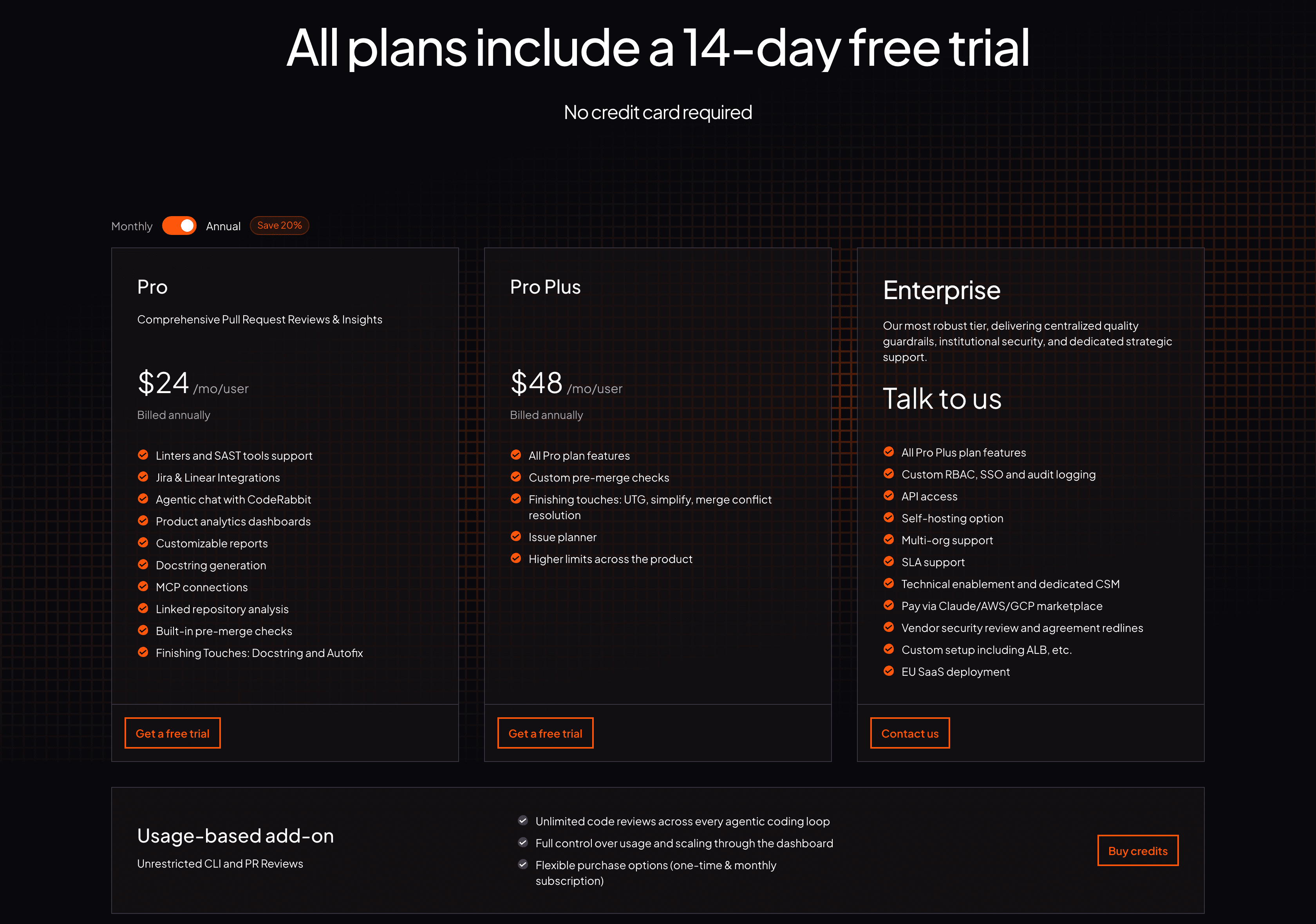
CodeRabbit | Free for public repos | Pro $24/user/mo, Pro Plus $48/user/mo | Per user (PR authors), annual | |
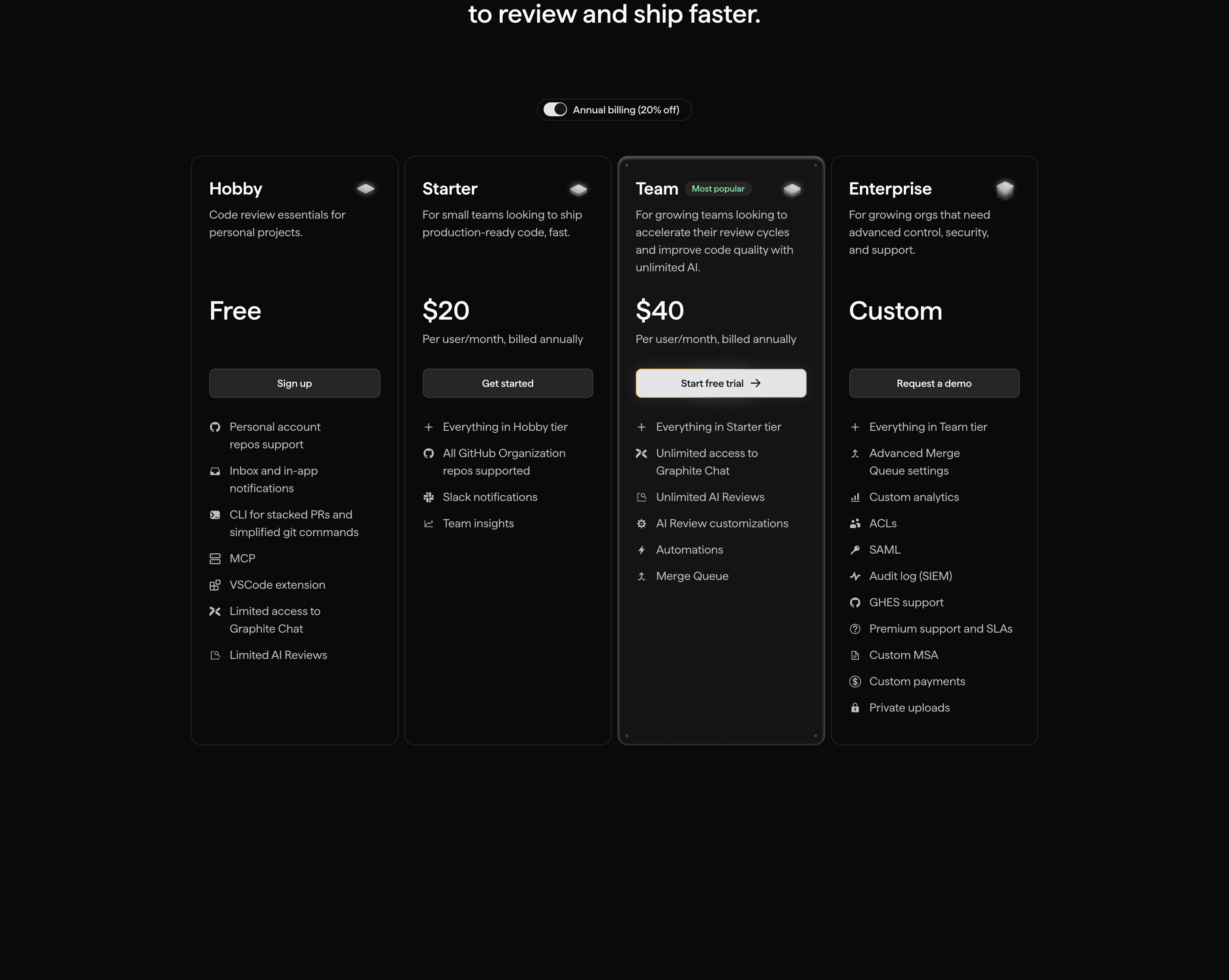
Graphite | Free Hobby tier | Starter $20/user/mo, Team $40/user/mo | Per user, annual, GitHub only | |
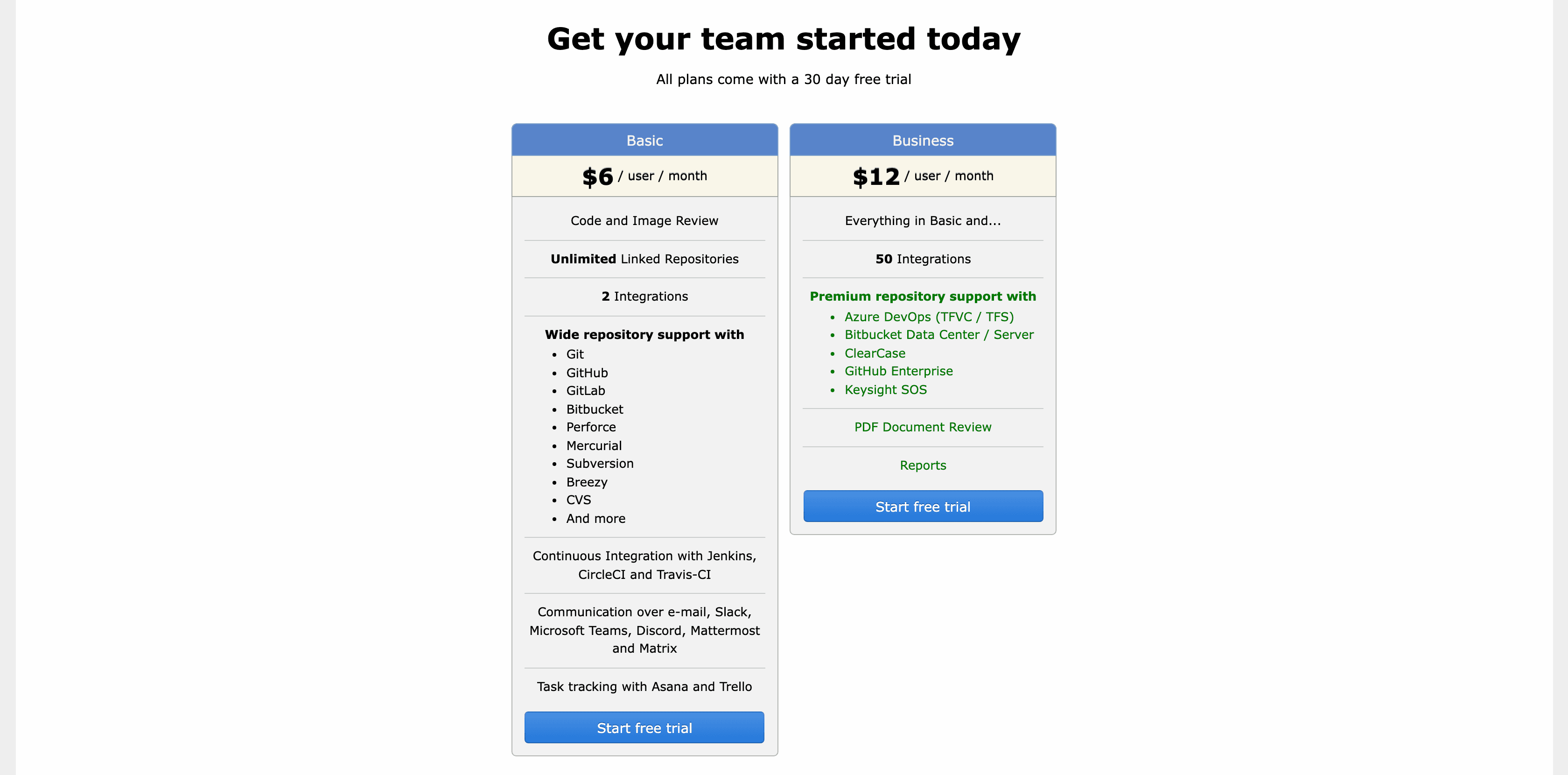
Review Board | Free, open source (self-host) | RBCommons Basic $6/user/mo, Business $12/user/mo | Per user (hosted) or free self-host | |
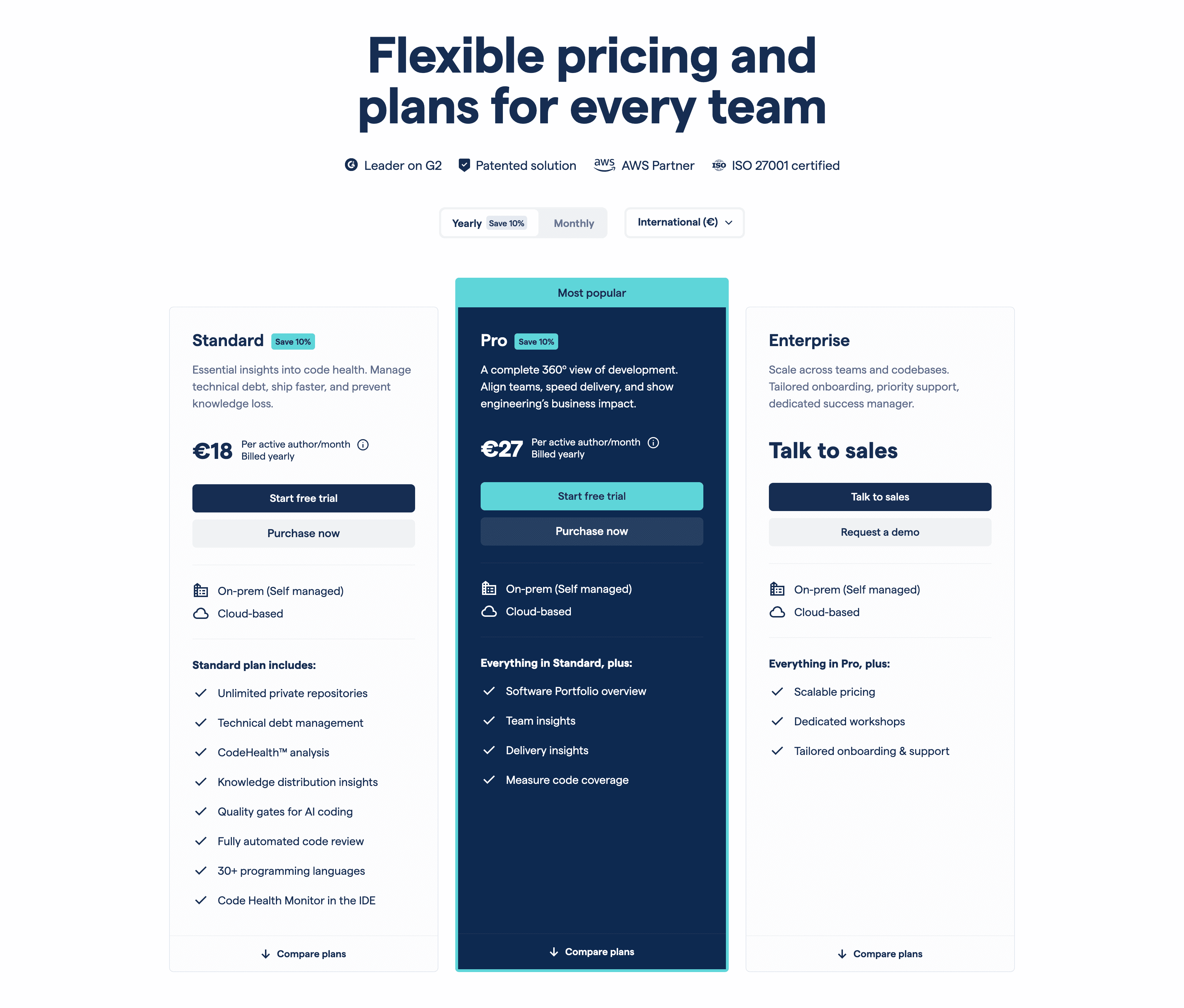
CodeScene | Free for open source, trial | Standard EUR 18, Pro EUR 27 per active author/mo | Per active author |
1. CodeAnt AI
CodeAnt AI is a defensive and offensive security platform that reviews pull requests with full-codebase context across GitHub (including Enterprise), GitLab (including self-hosted), Bitbucket (including Data Center), and Azure DevOps. It covers 25+ languages.
Features:
Line-by-line AI review with severity levels, suggested fixes, steps to reproduce, auto PR descriptions, and a “Learnings” system that stops resurfacing dismissed suggestions.
Unified security in one pass. SAST, software composition analysis, secrets, infrastructure-as-code, SBOM generation, and cloud posture checks for AWS, GCP, and Azure. Findings map to OWASP Top 10 and CWE.
Quality gates that block PRs which regress security, duplication, or coverage, configurable across the major CI systems.
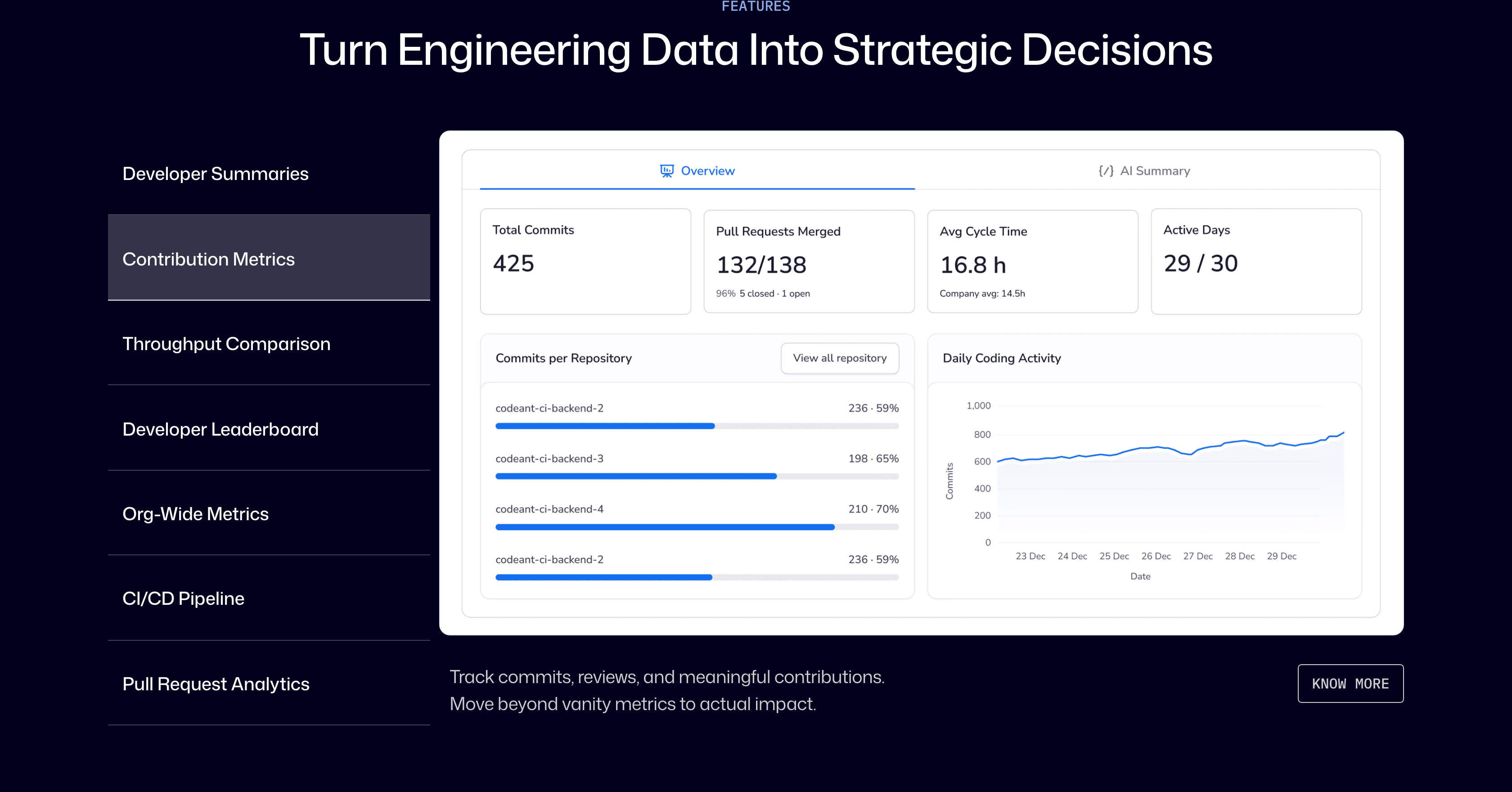
DORA metrics plus a Developer 360 view for TTFR, time to merge, PR size, and hotspots.
IDE plugins for VS Code, Cursor, JetBrains, Visual Studio, and Windsurf, plus a CLI, pre-commit hooks, and an MCP server.
Create Jira and Linear tickets from findings, post Slack reports, and check PRs for ticket compliance. Compliance coverage spans SOC 2, HIPAA, GDPR, PCI DSS, ISO 27001, plus MISRA and AUTOSAR for safety-critical code.
Strengths (evidence-backed): CodeAnt holds a 4.8/5 on G2 across 6 reviews. Reviewers single out the consolidation of review, security, and metrics into one tool, time saved on review, and strong Bitbucket support, which several note is rare among AI reviewers. The sample is small, so weigh it accordingly.
Drawbacks (evidence-backed): G2 reviewers report an onboarding learning curve, occasional false positives, and a tendency to flag stylistic details over larger issues. The public review base is still smaller than the older incumbents.
Pricing:
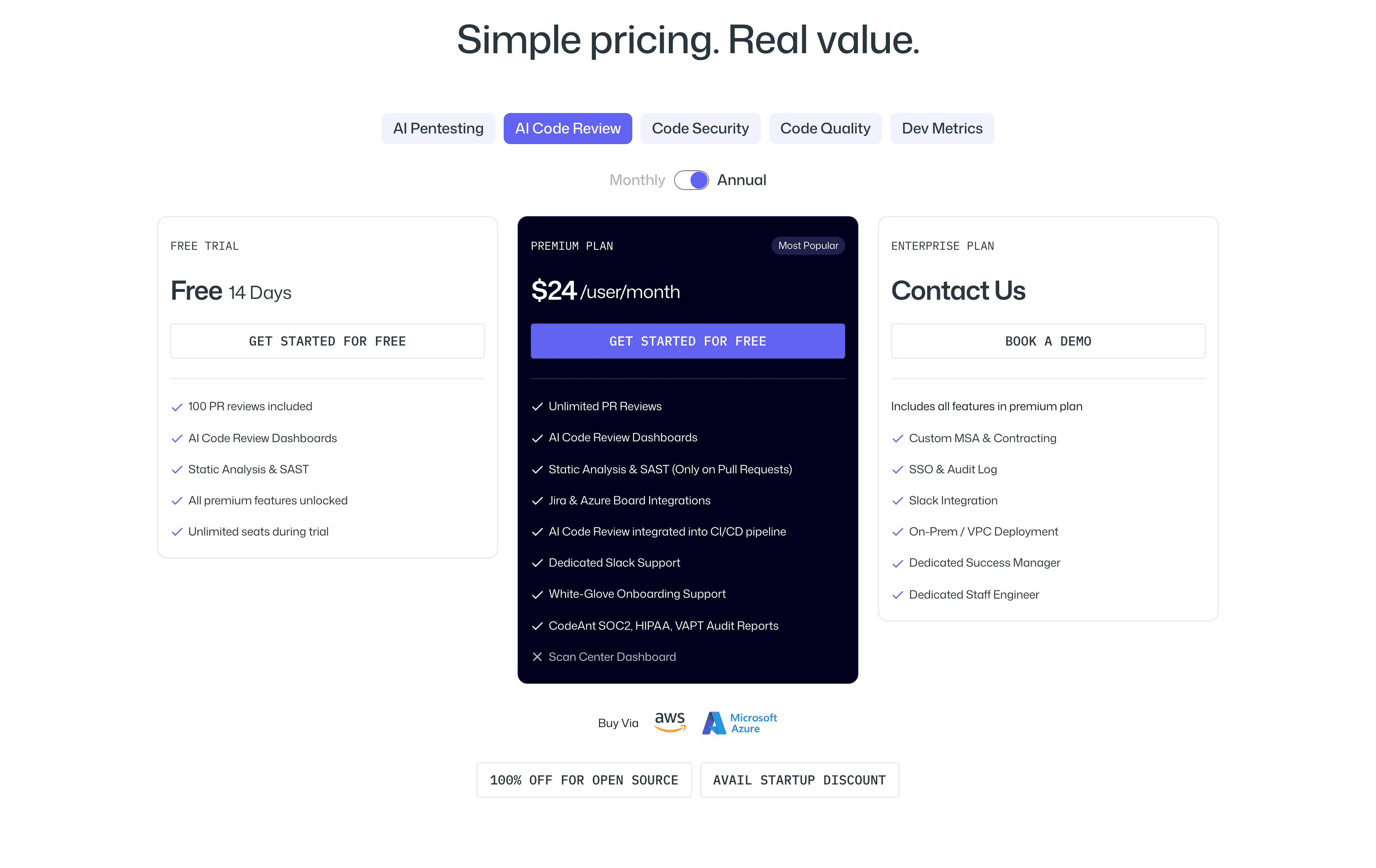
14-day free trial, no credit card, 100 PR reviews included, all features unlocked. Premium is $24/user/month. Enterprise is custom with SSO, audit logs, and on-prem or VPC deployment. Free for open source, with a startup discount available. (pricing)
For: teams that want code review and code security in one tool, from startups to enterprises.
2. CodeRabbit
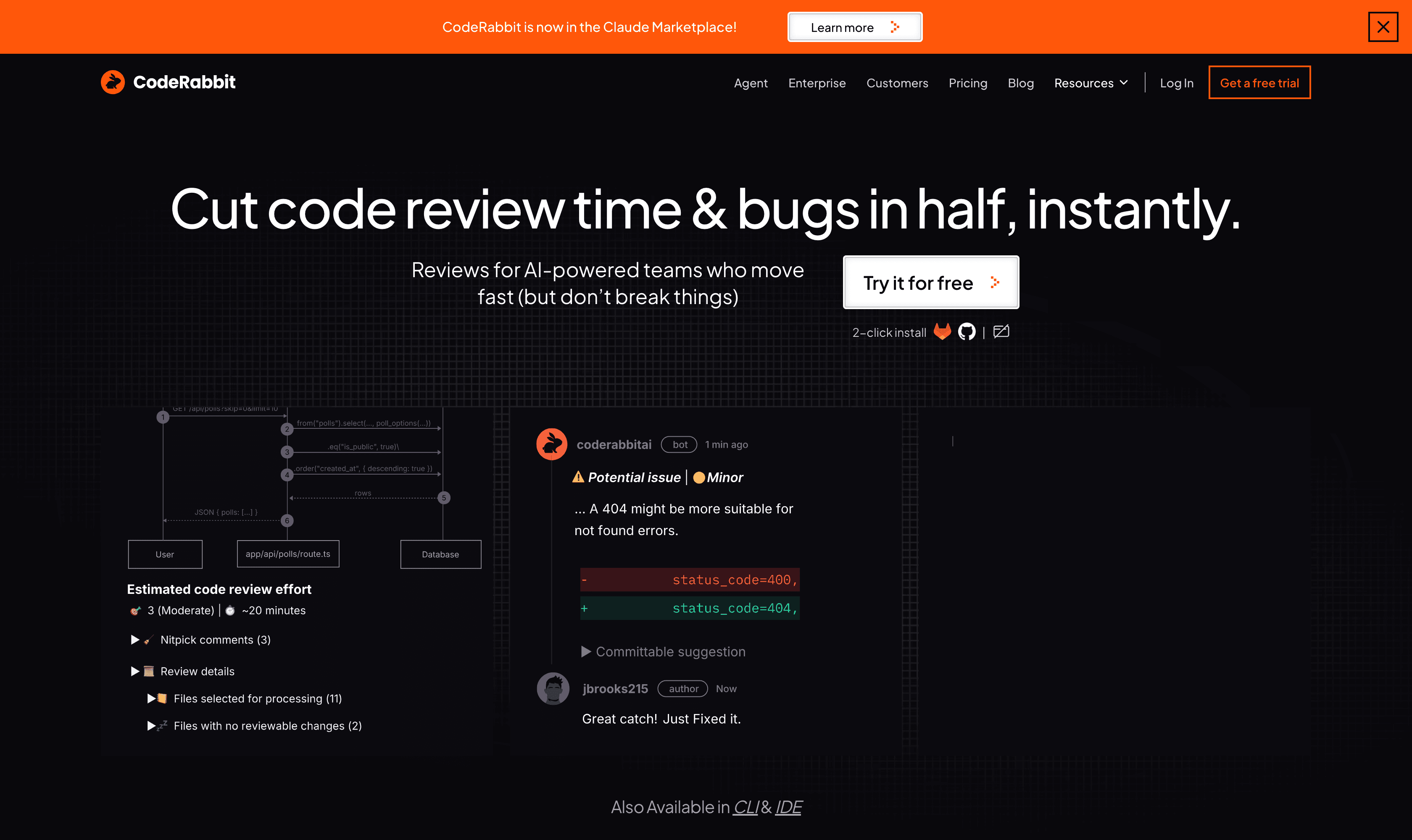
CodeRabbit is an AI review platform that works across pull requests, the IDE, and the CLI, on GitHub, GitLab, Azure DevOps, and Bitbucket.
Features:
PR walkthroughs with auto-generated summaries, sequence diagrams, per-file change tables, severity-ranked comments, and one-click fixes.
Bundled linters and scanners, including ESLint, Ruff, golangci-lint, and RuboCop, plus TruffleHog for secrets and Trivy for infrastructure-as-code.
Agentic chat in PR comments that explains its reasoning, generates unit tests and docstrings, and can open fix PRs.
IDE extensions for VS Code, Cursor, and Windsurf, and a CLI that plugs into Claude Code, Cursor, and Gemini agents.
MCP connections and context pulled from Jira, Linear, Slack, Confluence, Notion, Datadog, and Sentry.
“Finishing Touches” on higher tiers: autofix, unit-test generation, code simplification, and merge-conflict resolution.
Strengths (evidence-backed): CodeRabbit holds a 4.8/5 on G2 across 26 reviews, a larger base than most newer tools. Reviewers praise the near-instant setup, the PR summaries and diagrams for navigating unfamiliar code, and that it catches real bugs before production. It also learns from feedback when you tell it to ignore a pattern.
Drawbacks (evidence-backed): The most consistent complaint on G2 is verbosity, with reviewers noting the volume of comments adds noise even at lower frequency settings. Others report occasional incorrect suggestions, a laggy web app, and uneven customer support.
Pricing: free tier for public and private repos with a 14-day Pro Plus trial. Pro is $24/user/month and Pro Plus is $48/user/month, both billed annually (annual saves about 20%). Enterprise is custom with SSO, self-hosting, and SLAs. Billing counts only developers who open PRs. (pricing)
For: small to mid-sized teams that want a mature AI review experience and a free path for open source.
3. Graphite
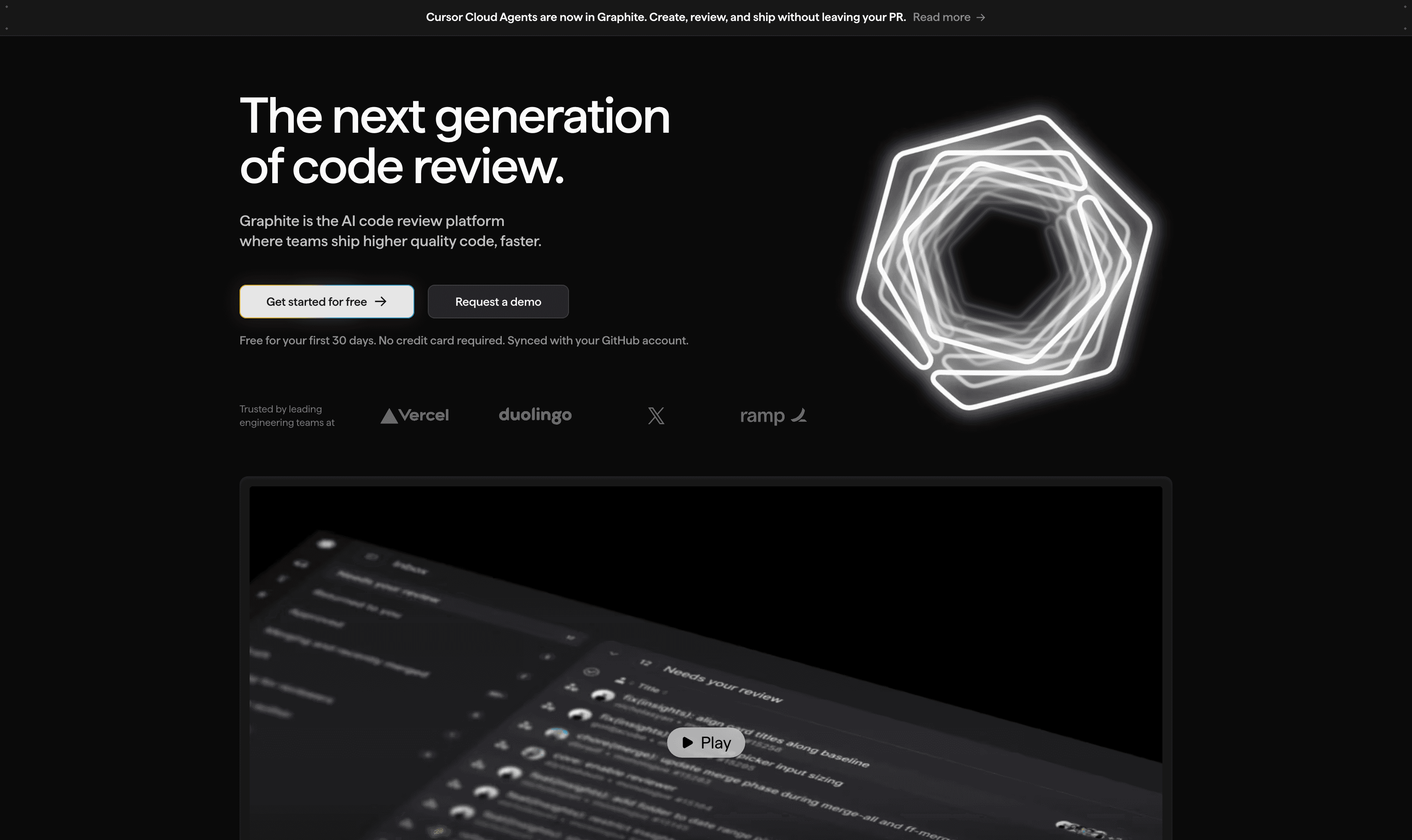
Graphite is built around stacked pull requests with an AI review agent. It works with GitHub only. Graphite was acquired by Cursor in December 2025, and the two products continue to run independently for now.
Features:
Stacked pull requests: chains of dependent PRs so you keep working on top of changes still under review, with automatic recursive rebasing.
The Graphite CLI (
gt) for creating, visualizing, submitting, and syncing stacks from the terminal.An AI review agent (Diamond) that scans opened PRs for bugs and logic errors, is codebase-aware, and supports custom rules.
A stack-aware merge queue that keeps the main branch green, with CI optimization to skip redundant tests.
A unified PR inbox with CI status, filters, and keyboard shortcuts, plus historical productivity insights.
A VS Code extension and MCP support. Enterprise adds SAML/SSO, ACLs, audit log export, and GitHub Enterprise Server support.
Strengths (evidence-backed):
Graphite holds a 4.9/5 on Product Hunt across 42 reviews. Note that the “Graphite” page on G2 is a different monitoring product, so do not rely on it. Reviewers, many of them former Meta engineers used to Phabricator, praise the stacked-diff workflow and automatic restacking, and several say the CLI is worth using even for ordinary one-off PRs.
Drawbacks (evidence-backed):
Product Hunt reviewers flag a steep learning curve and some dislike of the diff and comment-panel layout. The stacked model pays off best when a whole team adopts it. The seat-based price for AI reviews draws criticism in competitor analyses, and the Cursor acquisition leaves some roadmap questions open.
Pricing:
Free Hobby tier for personal repos. Starter is $20/user/month and Team is $40/user/month, billed annually, with the Team tier adding unlimited AI reviews and the merge queue. Enterprise is custom. (pricing)
For: GitHub teams that want to standardize on small, stacked changes.
4. Review Board
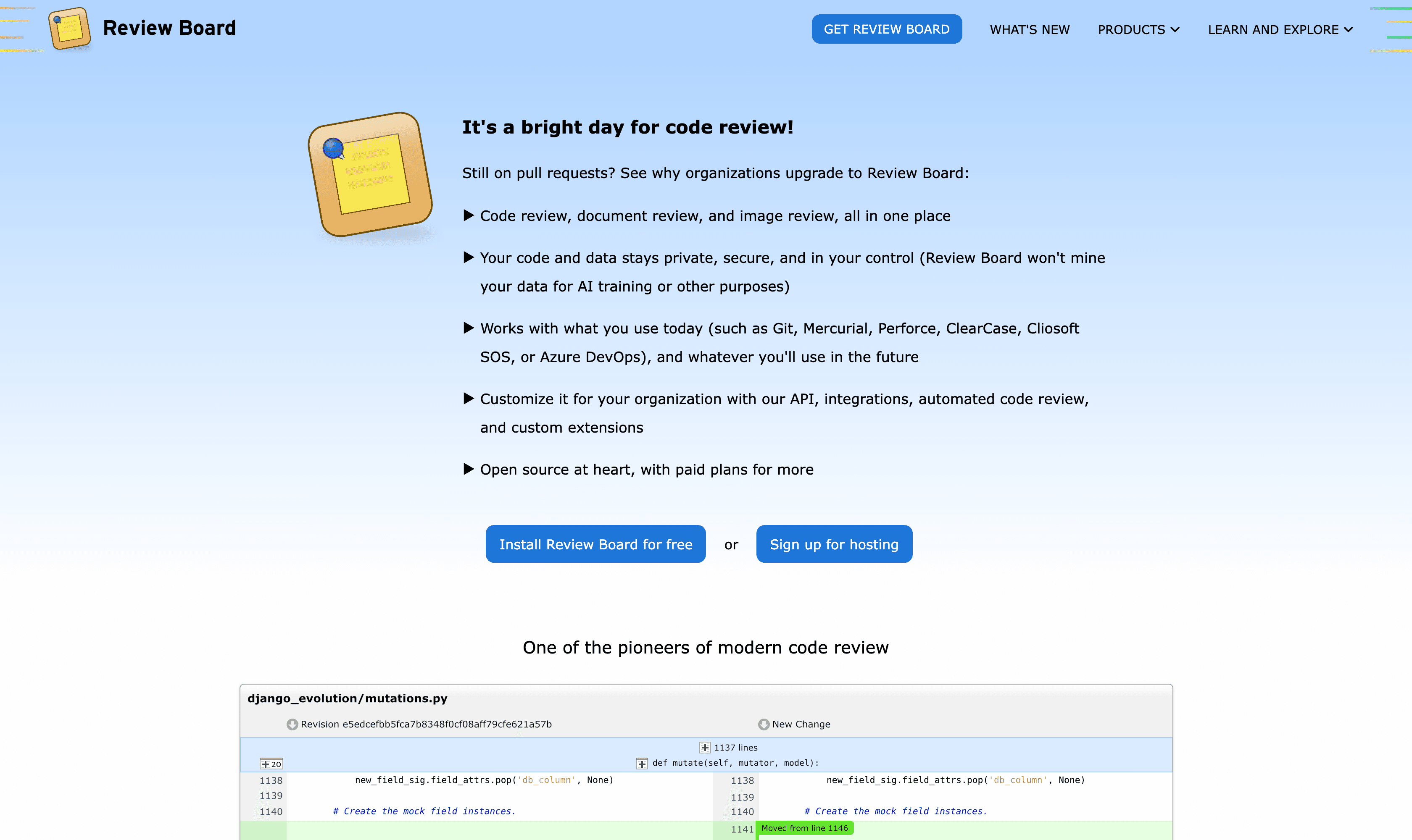
Review Board is an open-source, self-hosted review tool from Beanbag, with a hosted option called RBCommons. It positions itself on privacy and states it will not use your code for AI training.
Features:
Pre-commit and post-commit review requests that bundle code changes, screenshots, mockups, docs, and CI status with a full audit trail.
The widest version-control support in this list: Git, Subversion, Mercurial, Perforce, ClearCase, CVS, and more, plus hosting integrations for GitHub, GitLab, Bitbucket, and Azure DevOps.
A diff viewer with multi-line commenting, moved-code detection, and indentation-aware changes, plus image and document review (PDF and Office) on higher tiers.
RBTools CLI and a Python API for automation and IDE integrations.
Review Bot, a free add-on for automated review, with built-in CI integrations for Jenkins, CircleCI, and Travis.
Integrations for Slack, Teams, Discord, Jira, Asana, and Trello, plus SAML 2.0 single sign-on.
Strengths (evidence-backed): Review Board’s clearest advantages are control and reach. Code stays in your network, the vendor pledges no AI-training use, and it supports legacy systems like Perforce and ClearCase that GitHub-only tools cannot. It has been actively maintained since 2006, with releases through 2024 and 2025. No G2 or Capterra rating exists for the review tool itself, so there is no third-party star score to cite here.
Drawbacks (evidence-backed): Self-hosting carries setup and maintenance overhead. Premium version-control systems and document review sit behind the Power Pack add-on or the Business tier, and the entry hosted tier caps integrations at two. Some users describe the interface as dated, though this is hard to confirm from recent primary reviews.
Pricing: free and open source to self-host. RBCommons hosted is $6/user/month (Basic) and $12/user/month (Business), each with a 30-day trial. The Power Pack add-on covers premium repositories and document review for self-hosted installs. (RBCommons plans)
For: teams that want a self-hosted, privacy-preserving tool with broad version-control support.
5. CodeScene
CodeScene goes beyond a single diff to analyze how a codebase changes over time, surfacing risk and technical debt. It runs on-prem or in the cloud.

Features:
Behavioral code analysis that combines static analysis with version-control history to show how a system evolves.
A CodeHealth score (1 to 10 per file) built on 25+ factors, with trend tracking and code-smell detection across 30+ languages.
Hotspot analysis that ranks refactoring targets by return on investment, plus X-Ray for function-level detail inside large files.
Knowledge and ownership maps that flag key-personnel risk, including an off-boarding simulator.
PR integration and customizable quality gates that combine code health, coverage, and change coupling, including checks on AI-generated code.
CodeScene ACE, a paid AI add-on that auto-refactors common code smells, plus IDE extensions for real-time local checks.
Strengths (evidence-backed): CodeScene holds a 4.6/5 on G2 across 39 reviews and 4.7/5 on Capterra. Reviewers value its prioritized, actionable insight, PR reviews that act like an extra senior reviewer, fast support, and visual reports that even non-technical stakeholders can follow.
Drawbacks (evidence-backed): The most cited downsides on G2 are a learning curve, pricing, and information overload that can overwhelm smaller teams. Some reviewers report integration and configuration friction and a dense interface.
Pricing: licensed per active author, meaning anyone who committed in the last three months, with unlimited login users. Standard is EUR 18 and Pro is EUR 27 per active author per month, billed yearly. Enterprise is custom, CodeScene ACE is a paid add-on, and it is free for open source. (pricing)
For: mid-sized to large teams managing long-lived codebases.
For deeper tool comparisons, see the best AI code review tools, 20 code quality tools, GitLab and Bitbucket code review tools, and SAST tools.
Start with smaller pull requests
Good code review is a small set of habits done consistently: ship review-ready PRs, review in a fixed order, write feedback people can act on, and push the mechanical work onto automation so human attention lands on design, correctness, and security. The single highest-leverage move is keeping pull requests small. Everything else, including speed, feedback quality, and lower rework, gets easier once changes are small enough to actually understand.
If your reviews live in a specific platform, we have step-by-step guides for GitHub, GitLab, Bitbucket, and Azure DevOps. For the deeper material on reviewer mindset, how to write comments, and handling pushback, read the companion guide: How to make good and valuable code reviews.
FAQs
What’s the ideal pull request size and review turnaround time?
What should a “code review checklist” include?
How do we scale code reviews without creating bottlenecks?
Which metrics show our code reviews are working?
How should we handle large or cross-cutting changes?